Agent strategy and discovery
Map the task, users, data sources, and systems involved. Define where an agent can help, where a simpler automation is enough, and what a useful first pilot should deliver.
Give your team an AI agent that can find the right information, work with your tools, and move a task forward—with clear boundaries and human review built in.
From a focused pilot to an agent inside your product.
“Can you help me change my delivery address?”
Read the order and approved delivery policy.
Draft a response and a proposed address update.
Apply the update only after the required approval.
Your sources. Defined tools. A clear handoff.
Formics combines product design and software engineering with AI integration. We scope the workflow first, then build the knowledge, tools, and review steps it needs.
Map the task, users, data sources, and systems involved. Define where an agent can help, where a simpler automation is enough, and what a useful first pilot should deliver.
Build an agent around a defined job, with task instructions, tool access, and clear completion criteria. Shape the interface for the people who will use and review its work.
Connect approved documents and business information so the agent can retrieve relevant context. Include source references and a handoff when the available information cannot support an answer.
Connect APIs, CRMs, support tools, and internal systems. Give the agent only the actions it needs, with validation and approval steps for changes that require a person’s decision.
For work that benefits from separate roles, coordinate research, drafting, and review steps. Define how context moves between them and how failures reach a human operator.
Test against representative tasks, missing information, and tool failures. Review task completion, answer quality, response time, and running costs as the workflow evolves.
Choose a task with clear inputs, accessible information, and an outcome your team can review. These are examples to explore during discovery.
Bring together help articles and permitted customer records to draft replies, suggest next steps, and route exceptions to your support team.
Help teams search approved policies, product documents, and internal guides, with source references and a clear response when information is missing.
Extract details from incoming documents, check required fields, prepare updates, and send exceptions to a person before the next step.
Organize research, summarize account information, and prepare follow-ups using approved sources and your team’s review process.
Agree on the task and how to judge it before expanding the scope. Each stage gives your team something concrete to review.
Choose one workflow. Map the people, data, tools, and decisions involved, then agree on what a successful result looks like.
Connect the essential sources and tools. Test the interaction and approval flow with representative tasks.
Review useful answers, incorrect actions, missing context, handoffs, latency, and running costs against the agreed criteria.
Roll out the agreed scope, document how it works, and plan monitoring, maintenance, and the next set of improvements.
An agent needs more than a prompt. We design how it gets context, which actions it can take, and when your team takes over.
We choose the stack around your systems, data requirements, and budget. A pilot helps establish the tradeoffs before a larger build.
 OpenAI
 Claude
 Gemini
Selected around the task, quality requirements, data handling, and usage cost.
 LangChain
 n8n
n8n Python
 Node.js
A workflow builder, custom backend, or a combination, depending on the integration.
 Supabase
Connected to approved documents, databases, business software, and APIs. The architecture follows your existing systems.
Explore reservation and content experiences from our design portfolio.
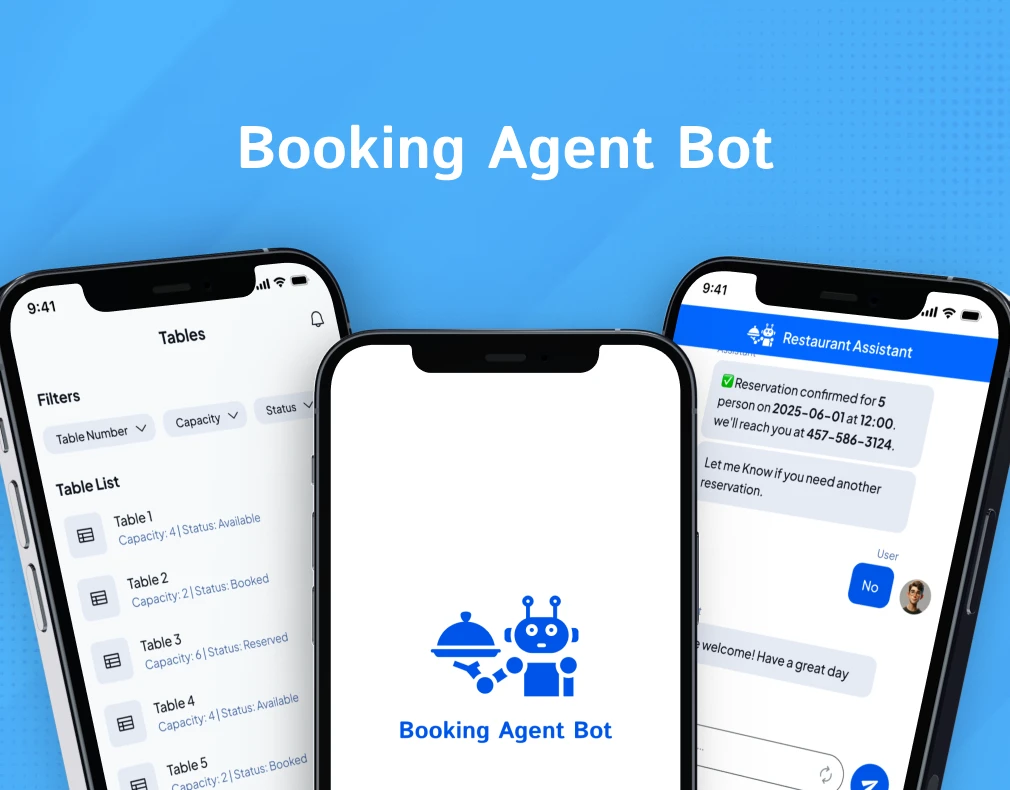
Reservation workflow design
Interface design for finding availability, making restaurant reservations, and managing bookings.

AI content interface design
A mobile interface for prompt-based quote creation, content discovery, customization, and sharing.
Practical questions about scope, integrations, and ongoing costs.
A chatbot is usually centered on a conversation. An AI agent can also use tools and follow several steps toward a defined task, such as finding an order, preparing a response, and requesting approval for an update. The useful distinction is what the system is allowed to do, rather than the label attached to it.
Start with the simplest setup that can complete the task. A single agent or a fixed workflow may be enough. Multiple agents are worth considering when separate responsibilities or review stages improve the result enough to justify the extra complexity, cost, and coordination.
Integration depends on the APIs, permissions, and data access your software provides. During discovery, we review your CRM, support tools, databases, and internal systems, then agree which information and actions the agent can access.
We plan the data sources, access permissions, model provider settings, and retention requirements with your team. The workflow can restrict tool access, separate read and write actions, and require human approval before agreed changes are made. Requirements are scoped for your systems and use case.
Before the pilot, we agree on representative tasks and acceptance criteria. Evaluation can include task completion, source accuracy, appropriate handoffs, tool failures, response time, and cost per task. Results guide what needs to change and whether the workflow is ready for a wider rollout.
Scope depends on the task, data preparation, number of integrations, interface, evaluation needs, and deployment requirements. We scope a focused pilot first. Model usage, hosting, and third-party subscriptions are running costs to consider alongside development and ongoing support.
Tell us which task takes up your team’s time, the tools you use, and what a good result would look like. We’ll discuss the scope of a first pilot.